The unmanaged Mac estate and Cyber Essentials v3.3
The eight questions I ask about a Mac estate, the answers I keep getting, and what each of those gaps does when an assessor, an insurer or a client’s security questionnaire arrives.
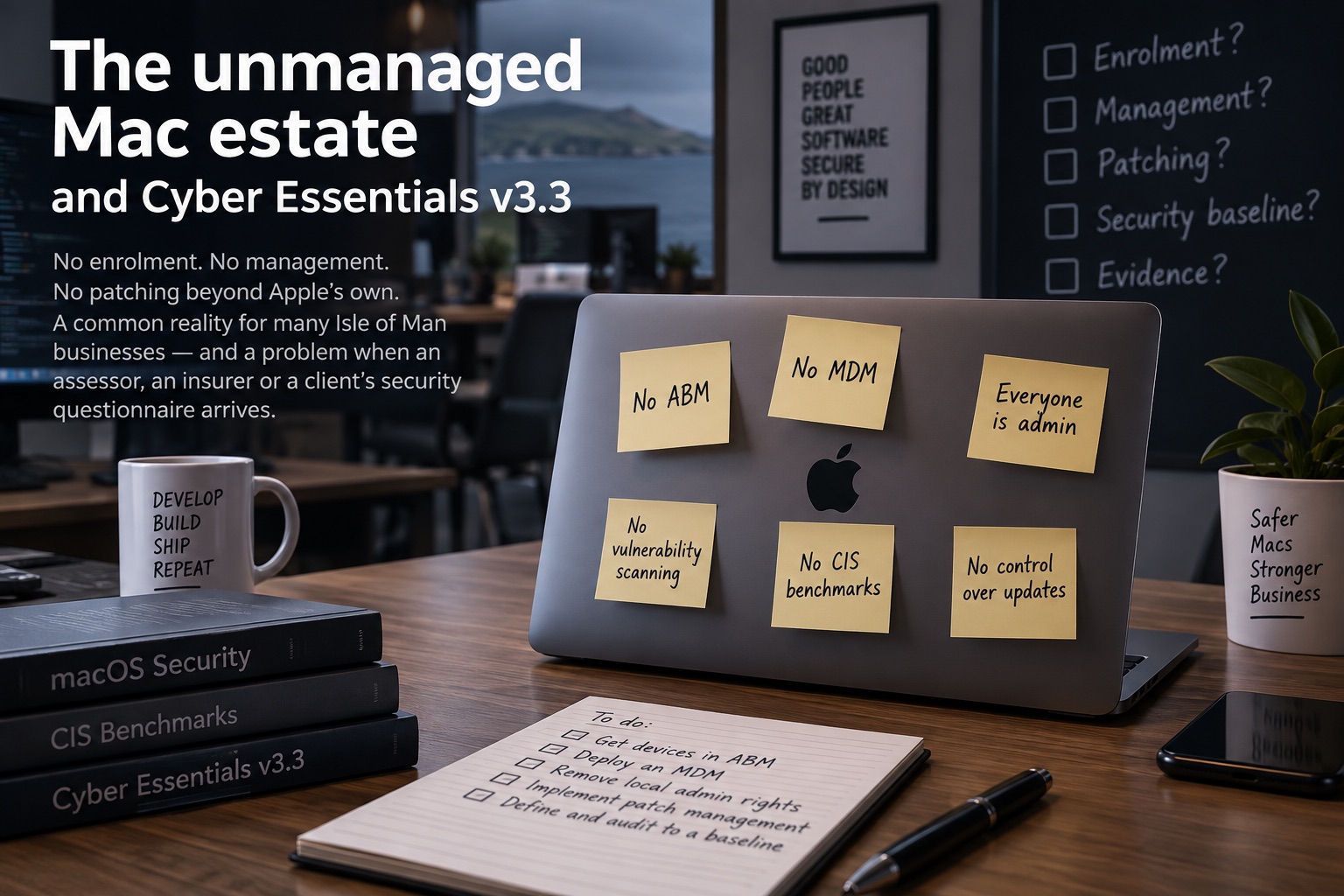
Twenty-seven years of walking into other people’s estates has left me with the same eight questions, and I ask them in the same order every time. Are the devices in Apple Business Manager. What MDM are you on. Who has admin rights. What tells you a machine is out of date. What baseline are you measuring against. How does Chrome or Slack or Docker get updated. Where do the files actually live. What do you do when a CVE lands on a Friday.
On a Mac heavy business that has grown without ever hiring somebody whose job this is, the answers come back remarkably consistently: no, none, everybody, nothing, none, the user does it when they notice, wherever the person happened to put them, and a slightly uncomfortable laugh. I have had some version of that run of answers more times than I can count, on this Island and before it, and it is worth saying that none of it is ever offered with embarrassment, nor should it be, because that position is the normal position. Macs arrive from wherever they were bought, somebody signs in with an Apple Account, the developers get admin because they need Homebrew and Docker and Xcode and it is easier than arguing about it, and everything works. Nothing breaks. There is no visible failure to react to, so it persists for years, right up until somebody outside the business asks a question in writing and expects an answer that can be evidenced.
What the gaps actually are
Take them in the order they compound.
No Apple Business Manager. Without ABM the devices are not the company’s in any sense a system can act on. There is no Automated Device Enrolment record, which means a Mac that is wiped comes back as a personal machine and enrols in nothing, and there is no supervision, so any management you do bolt on later can be removed by the person using it. You cannot prove ownership of a machine bought on a company card in a retail store, you have no Activation Lock position if somebody leaves badly, and the reseller linkage that would claim future purchases automatically does not exist. ABM is free, and its absence is the root of most of what follows.
No MDM. With no Jamf and no Intune there are no configuration profiles, which means the firewall state, the FileVault state, the screen lock timeout, the software update deferral behaviour and the Gatekeeper posture are all whatever the user happened to choose during Setup Assistant. It also means no FileVault recovery key escrow, so the keys are on a piece of paper somewhere or nowhere at all, and a Mac with an encrypted disk and no recoverable key is one you will eventually throw away with the data still on it.
No management, by which I mean no ability to act. Even where somebody has a spreadsheet of devices, having no mechanism to run a command, install a package, enforce a setting or collect a result means every remediation is a conversation with a human being who is busy. Thirty devices and a two week deadline is thirty conversations, and you will not win all thirty.
No user controls. Everybody is a local administrator, which is the macOS default and is exactly what Cyber Essentials asks about. An administrator can turn off the firewall, disable FileVault, approve any privacy prompt that appears and install anything from anywhere. Apple did remove the old Control click shortcut past Gatekeeper in Sequoia, which was a genuine improvement, except that the replacement is a trip to System Settings, Privacy and Security, Open Anyway, and an administrator password, so if everybody has one of those then the improvement is largely theoretical. Standing admin rights make a compromise far more consequential once it starts, because the first thing a Mac focused stealer wants is a password prompt that the user is already conditioned to fill in.
No vulnerability scanning. XProtect and Gatekeeper are malware controls, not vulnerability management, and the two get conflated constantly. XProtect will tell you nothing about the fact that a Mac is running a browser three releases behind, or a video conferencing client with a known remote code execution issue, or an old Java runtime that came with a build tool in 2023. On a developer heavy estate this is where the real exposure sits, because Homebrew formulae, npm packages, pip environments, local Docker images and Xcode command line tools are all installed software, all of it versioned, and none of it inventoried anywhere.
No CIS benchmarks. There is no defined baseline, so there is no definition of what a correct machine looks like, so there is nothing to measure drift against and nothing to hand an auditor when they ask what standard you configure to. This one is more tractable than people expect, because NIST, CIS, DISA and a wider community of federal and industry contributors maintain the macOS Security Compliance Project, which generates baselines and the audit scripts that check them, and it is the sensible starting point rather than writing your own hardening guide from a blog post.
No control over where the data goes. Nobody has told these Macs which cloud they belong to, so they sync to whichever one the person signed into, which on a Mac means a personal Apple Account by default and frequently a personal Dropbox or a personal OneDrive alongside it. macOS offers to sync the Desktop and Documents folders to iCloud Drive during setup, plenty of people accept without registering what they have agreed to, and from that point the company’s work product lives in a private iCloud tied to one individual’s password and judgement, with iCloud Keychain doing the same job for credentials. This part has been preventable for years, because the restrictions payload carries allowCloudDocumentSync, allowCloudDesktopAndDocuments and allowCloudKeychainSync, and not one of them needs a supervised device; what they need is an MDM to deliver the profile, which is the thing that is missing. Without Apple Business Manager there are no Managed Apple Accounts either, so there is no company owned identity to point people at instead, and when somebody leaves the data does not come back, because it was never anywhere the company could reach.
No third party patching. macOS updates itself and Apple’s own applications, and that is the whole of what Software Update does. Everything else depends on each vendor’s own updater, so Chrome relies on its Keystone agent, Microsoft applications rely on Microsoft AutoUpdate, and a long tail of smaller applications rely on the Sparkle framework or on a menu item nobody clicks. Several of those mechanisms need elevation, several fail quietly, and none of them report anywhere. When a company tells me their Macs patch themselves, what they usually mean is that macOS does, and macOS is the part I am least worried about.
What that looks like in front of an assessor
Cyber Essentials moved to the v3.3 question set, called Danzell, in late April 2026, and the change that matters here is not subtle. Applying high risk and critical updates within fourteen days is now an automatic failure rather than a recoverable non conformity, and it covers applications and extensions as well as operating systems and firmware. Multi factor authentication on cloud services is likewise an automatic failure where it is available and not enabled, and cloud services are now formally defined and can no longer be scoped out on the basis that the provider looks after security, which means the inventory you submit has to include the shadow ones as well as the ones finance pays for. On the Plus assessment, a failure on update management now triggers a re test against the original sample plus a fresh random one, and failing that second look revokes the certificate rather than delaying it.
Set those gaps against that. Without an inventory you cannot say what versions are installed. Without third party patching you cannot say that applications are current. Without the ability to act you cannot close a finding inside fourteen days across every in scope device rather than a convenient subset. Without a baseline you cannot show a correct configuration, and without a scan you will not know a problem exists until an assessor finds it for you. The personal cloud accounts are worse again, because a private iCloud holding company documents is a cloud service inside your scope that you cannot list, cannot evidence multi factor authentication for and cannot administer, and there is no version of that answer which passes.
Here is why I do not think ignorance holds up as a position. The self assessment is a declaration, signed off at board level, and the questions are not asking whether you intend to patch, they are asking whether you do. Answering yes to a question about fourteen day patching when you have no way of knowing what is installed is not a control gap that got missed, it is an assertion of fact made without any basis, and it is written down with a name against it. The same questions, in nearly the same words, appear on cyber insurance proposal forms, where an inaccurate answer becomes a coverage argument at exactly the moment you need the policy to work, and again in the security questionnaires UK and European clients send to Isle of Man suppliers, which for a jurisdiction that sells trust for a living is not a formality. And underneath all of it sits the applied GDPR, enforced here by the Isle of Man Information Commissioner, which requires appropriate technical and organisational measures against unauthorised processing and accidental loss, a standard that not knowing what software is on your own laptops does not meet on any reading. It gets more pointed with the cloud accounts, because a subject access request, a deletion request or a breach notification all assume the controller can reach the data, and personal iCloud is a place where a controller demonstrably cannot.
The uncomfortable part is that all of these become true retrospectively. Nobody is checking today. They check after the incident, or during the renewal, or when a large customer runs due diligence, and at that point the evidence you are asked for is evidence about the period you were not collecting any.
Where I would start
Inventory first, because everything else is guesswork without it, and because a full picture of installed software and versions across the estate usually changes the conversation about priorities on its own. Then Apple Business Manager and the reseller linkage, which is paperwork rather than engineering and unblocks proper enrolment. Then an MDM, chosen on what the business already pays for, with FileVault and key escrow, screen lock and firewall as the first profiles because they are the ones an assessor will look at. Alongside that, a restrictions profile turning off iCloud document, desktop and keychain syncing, paired with a corporate repository people are actually told to use, because removing the convenient option without providing a replacement gets you workarounds instead of compliance. Then remove standing administrator rights, which is the one that generates the pushback, and which is survivable if you give the developers a supported way to elevate for the specific things they actually need. Then a baseline from the compliance project, audited on a schedule rather than declared once, and third party patching, which on macOS I would build on Installomator with the vendor’s own package and a signature check so that it verifies what it installed.
That sequence is roughly a month of work for a company of fifty to two hundred people, and I lay it out rather than keeping it back because it is not a secret and it is not the hard part. The hard part is the estate you inherit, which is never clean, and the negotiation about admin rights, which is never quick.
If any of the answers above sounded like your own, I will review your Mac estate and give you a written remediation plan, mapped to the Cyber Essentials questions you will actually be asked. Once the basics are in place, keeping them in place stops being a project and becomes a reporting problem, which is what I built Patched.im to handle: what is on the estate, what changed, what is vulnerable, whether the controls are doing anything, with remediation routed back into your own tooling rather than into a dependency on me. Whether you hand the fix itself to me, to your existing provider or to somebody internal is not the point of the review.
What I have not solved is the developer machine, and I want to be straight about that, because a laptop with three package managers and a container runtime on it is a supply chain that reports to nobody, and the honest answer today is that you inventory it, you keep the version data, and you accept that a meaningful part of the risk sits outside anything an MDM can reach.
Get new posts by email — no noise, just the writing.
Subscribe on Substack← Writing · Andy Bridson